After you make changes to your Windows Hosting website, use the Preview feature in Plesk to see how it will look to visitors before you publish your changes.
- Go to your WNYPress product page.
- Select Web Hosting, and next to the Windows Hosting account you want to view, select Manage.
- In the account Dashboard select Plesk Admin.
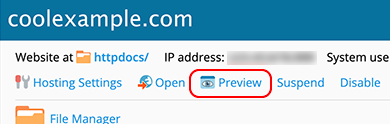
- In the Plesk home page, in the center of the page below the domain name select Preview.
More info
- After your site goes live, here’s how to enable and view your website traffic data.