WNYpress

Restart my VPS Hosting

If you can’t reboot your VPS Hosting manually, you can restart it from your hosting account as follows. Log in to your WNYPress account. In your My Products page, click Servers, and next to the VPS Hosting you want to restart, click Manage. In the upper-right corner of the page click Server Actions and then…

If you can’t reboot your VPS Hosting manually, you can restart it from your hosting account as follows.

  1. Log in to your WNYPress account.
  2. In your My Products page, click Servers, and next to the VPS Hosting you want to restart, click Manage.
  3. In the upper-right corner of the page click Server Actions and then select Restart Server.
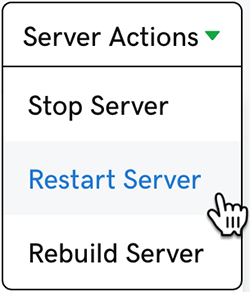
    click restart server

More info

Still need help?

If this article didn’t solve the problem, send WNYpress the details and we’ll help you with the next step.