Chapter 6.10 Verified · Installation & Setup Authorizes the installation to use the WNYPress-managed update channel. Navigate: MBOS → API Services → Updates / Licensing Figure 6.10 · Screenshot captured from the verified demonstration installation. Sample business information is illustrative. What does this control? Authorizes the installation to use the WNYPress-managed update channel. How do…
Published
Chapter 6.10
Verified · Installation & Setup
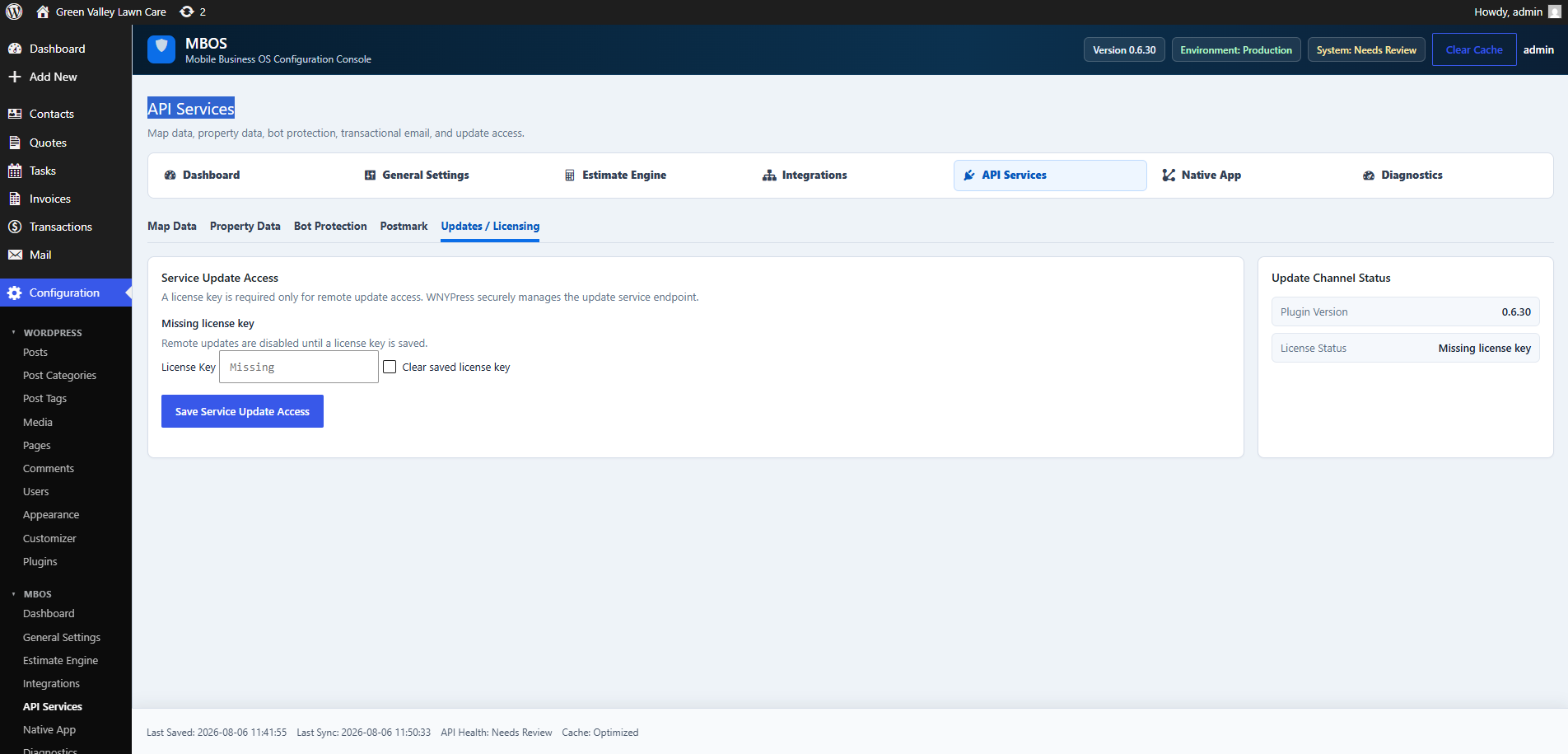
Authorizes the installation to use the WNYPress-managed update channel.
Navigate: MBOS → API Services → Updates / Licensing
Figure 6.10 · Screenshot captured from the verified demonstration installation. Sample business information is illustrative.
What does this control?
Authorizes the installation to use the WNYPress-managed update channel.
How do I configure it?
Enter the MBOS License Key.
Click Save Service Update Access.
Why is this useful?
Keeps MBOS eligible for compatible security, maintenance, and feature updates.
How do I verify it?
Confirm License Status no longer reports a missing key.
Still need help?
If this article didn’t solve the problem, send WNYpress the details and we’ll help you with the next step.