Chapter 6.6
Verified · Installation & Setup
Connects address autocomplete, validation, Street View, and the public service-area map.
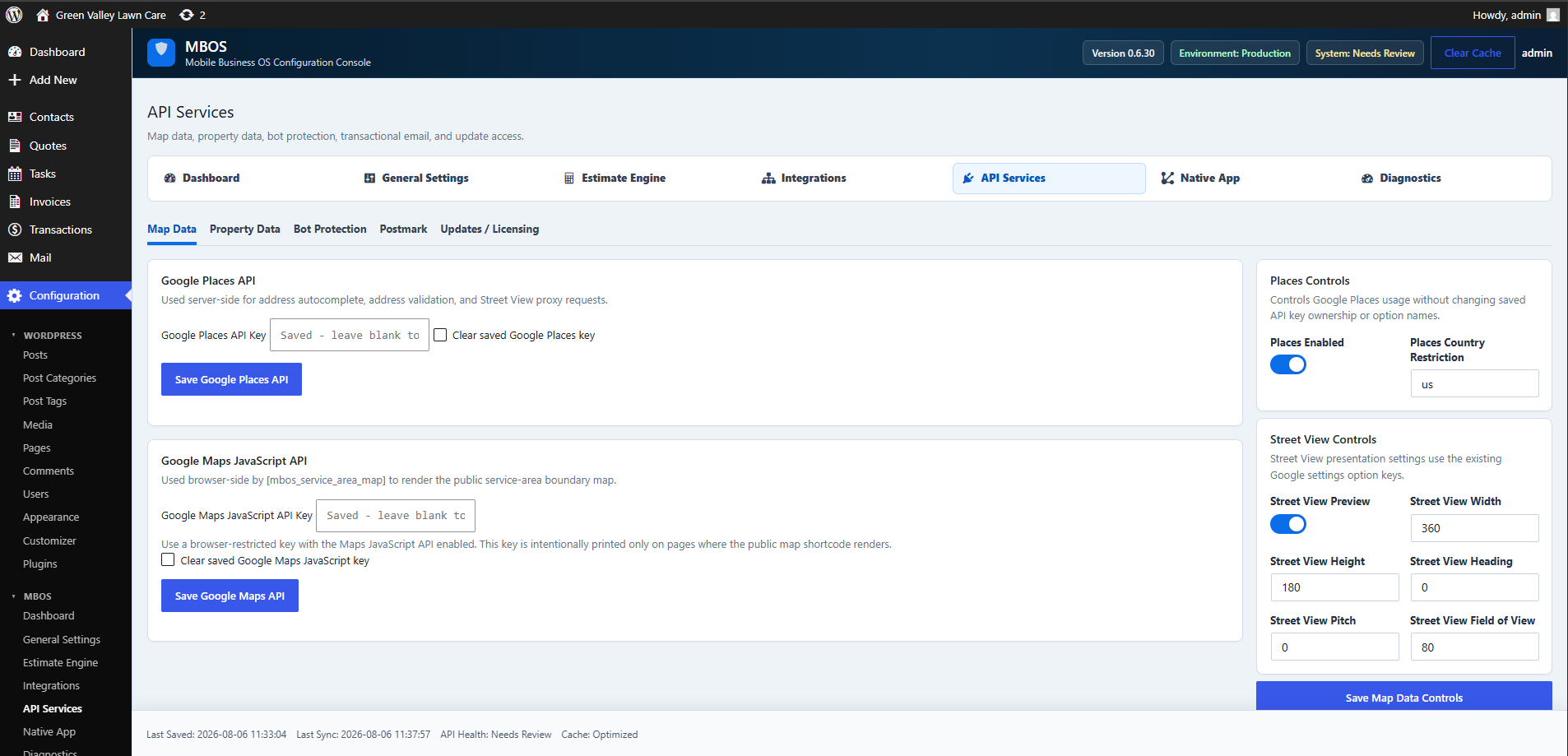
Navigate: MBOS → API Services → Map Data
What does this control?
Connects address autocomplete, validation, Street View, and the public service-area map.
How do I configure it?
- Enter the approved key in Google Places API Key and save.
- Enter the approved browser key in Google Maps JavaScript API Key and save.
- Enable Places and set the country restriction.
- Review Street View controls.
Why is this useful?
Enables customers to enter valid addresses and see the configured service boundary.
Note: One Google Cloud project may supply both keys, but restrictions must match server-side and browser-side usage.
How do I verify it?
- Confirm address suggestions appear.
- Confirm the public map loads.
- Submit an address through the service-area checker.