Chapter 5.1 Verified · Installation & Setup Visit the public landing page while logged in, then click Edit Page. Navigate: Public Website → Edit Page Figure 5.1 · Screenshot captured from the verified demonstration installation. Sample business information is illustrative. What does this control? This workflow opens the exact page seen by visitors. How do…
Published
Chapter 5.1
Verified · Installation & Setup
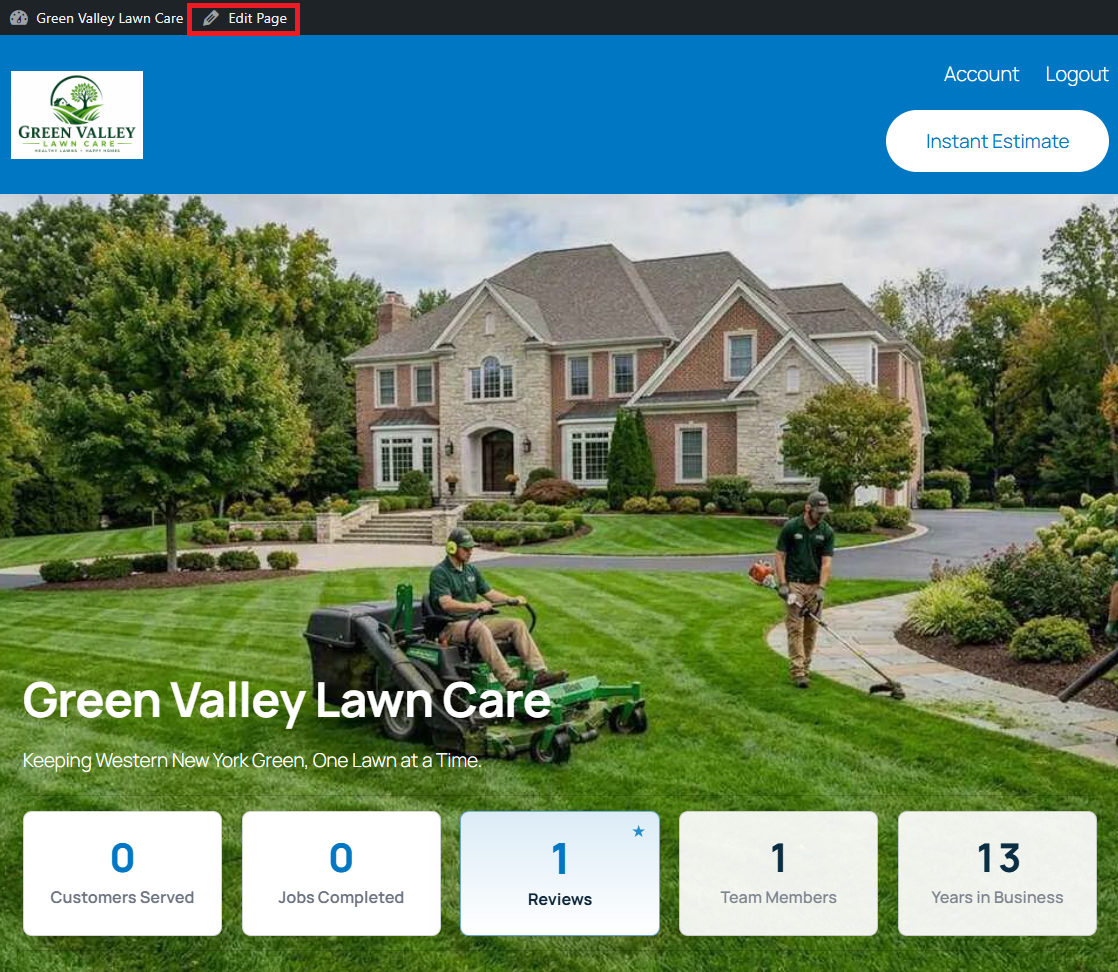
Visit the public landing page while logged in, then click Edit Page.
Navigate: Public Website → Edit Page
Figure 5.1 · Screenshot captured from the verified demonstration installation. Sample business information is illustrative.
What does this control?
This workflow opens the exact page seen by visitors.
How do I configure it?
Log in to WordPress.
Visit the public landing page.
Click Edit Page in the admin bar.
Open List View to navigate the seeded sections.
How do I verify it?
Confirm the editor title matches the public homepage.
Still need help?
If this article didn’t solve the problem, send WNYpress the details and we’ll help you with the next step.