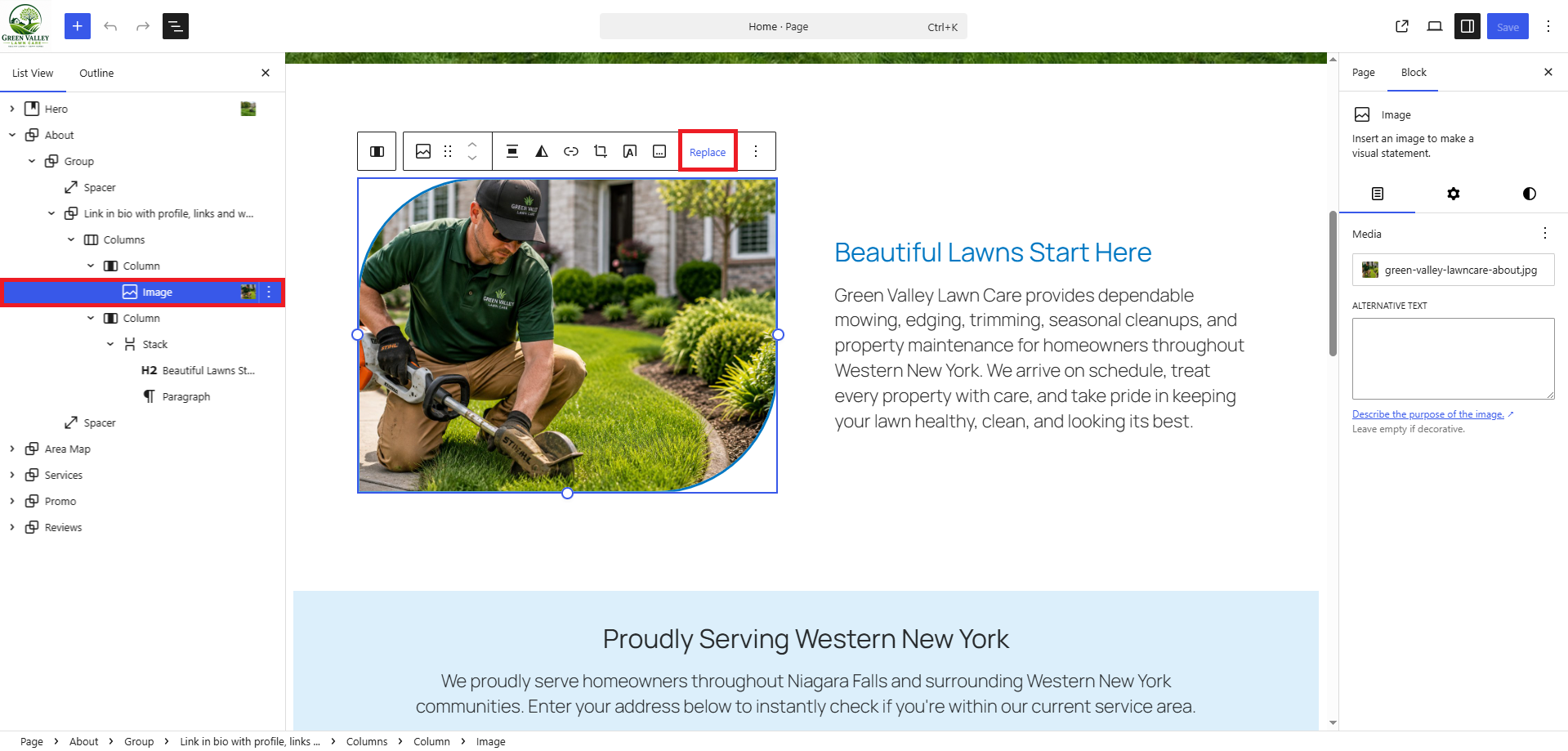
Chapter 5.3 Verified · Installation & Setup Replace the biography-style image and update the About heading and paragraph. Navigate: Gutenberg → List View → About Figure 5.3 · Screenshot captured from the verified demonstration installation. Sample business information is illustrative. What does this control? Introduces the business and builds visitor confidence. How do I configure…
Published
Chapter 5.3
Verified · Installation & Setup
Replace the biography-style image and update the About heading and paragraph.
Navigate: Gutenberg → List View → About
Figure 5.3 · Screenshot captured from the verified demonstration installation. Sample business information is illustrative.
What does this control?
Introduces the business and builds visitor confidence.
How do I configure it?
Replace the seeded About image.
Use a close-up or working portrait.
Update the heading.
Write a concise business description.
Save the page.
Still need help?
If this article didn’t solve the problem, send WNYpress the details and we’ll help you with the next step.