WNYpress

Synchronize Bookly appointments with Jetpack CRM

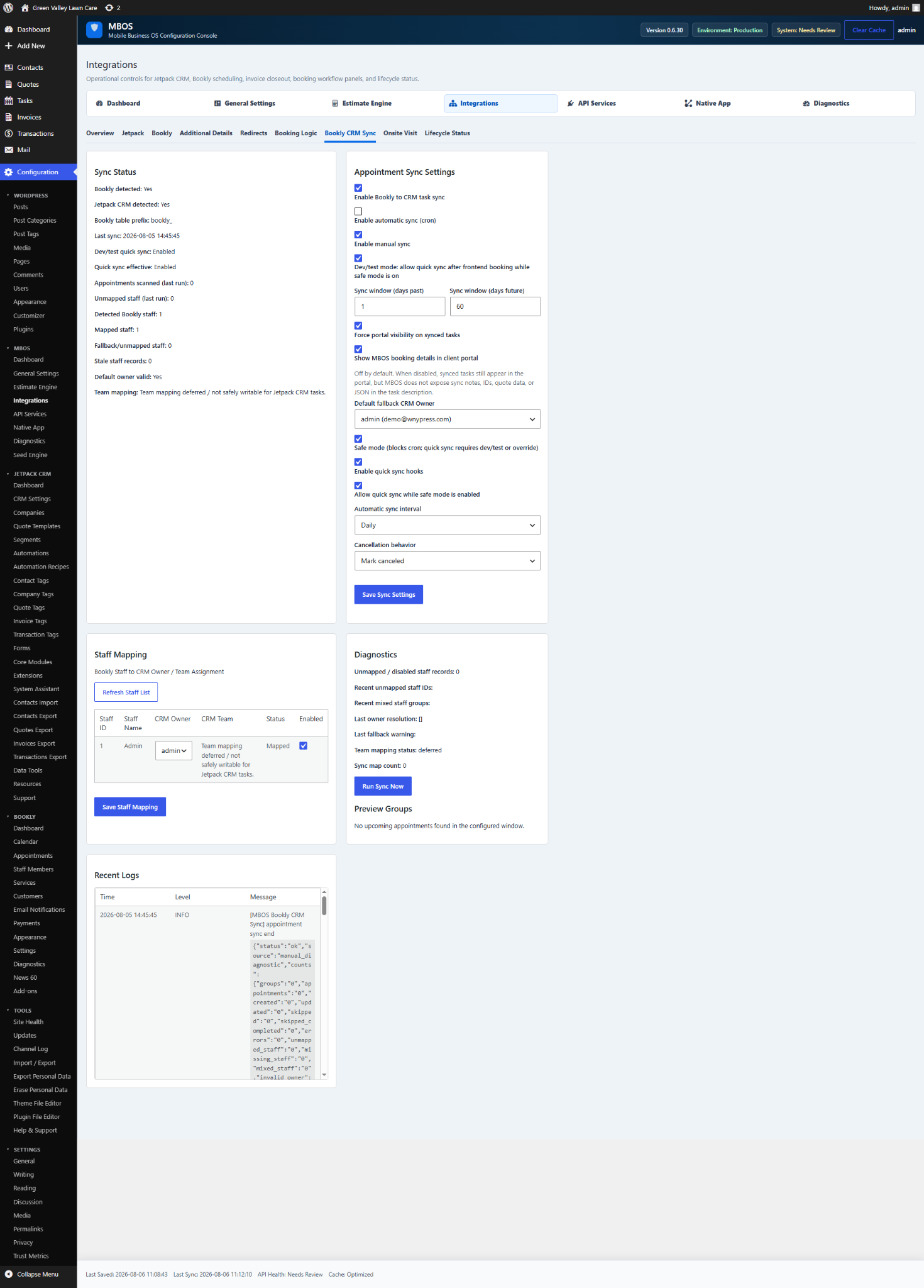
Chapter 6.5 Verified · Installation & Setup Creates or updates Jetpack CRM tasks from Bookly appointments. Navigate: MBOS → Integrations → Bookly CRM Sync Figure 6.5 · Screenshot captured from the verified demonstration installation. Sample business information is illustrative. What does this control? Creates or updates Jetpack CRM tasks from Bookly appointments. How do I…
Chapter 6.5

Verified · Installation & Setup

Creates or updates Jetpack CRM tasks from Bookly appointments.

Navigate: MBOS → Integrations → Bookly CRM Sync

Screenshot for How do I synchronize Bookly appointments with Jetpack CRM?
Figure 6.5 · Screenshot captured from the verified demonstration installation. Sample business information is illustrative.

What does this control?

Creates or updates Jetpack CRM tasks from Bookly appointments.

How do I configure it?

  1. Enable Bookly to CRM task sync.
  2. Enable automatic sync (cron).
  3. Save Sync Settings.
  4. Refresh Staff List.
  5. Map each Bookly staff member to the appropriate CRM Owner.
  6. Save Staff Mapping.
  7. Run Sync Now.

Why is this useful?

Keeps scheduling activity visible inside the CRM and assigns tasks to the correct owner.

How do I verify it?

  • Confirm unmapped staff is zero.
  • Review Sync Status and Recent Logs.
  • Create a future Bookly appointment and confirm a CRM task appears.

Still need help?

If this article didn’t solve the problem, send WNYpress the details and we’ll help you with the next step.