Chapter 3.4
Initialize Mail Campaigns
Open Mail Campaigns once and allow its first-run process to finish before seeding MBOS.
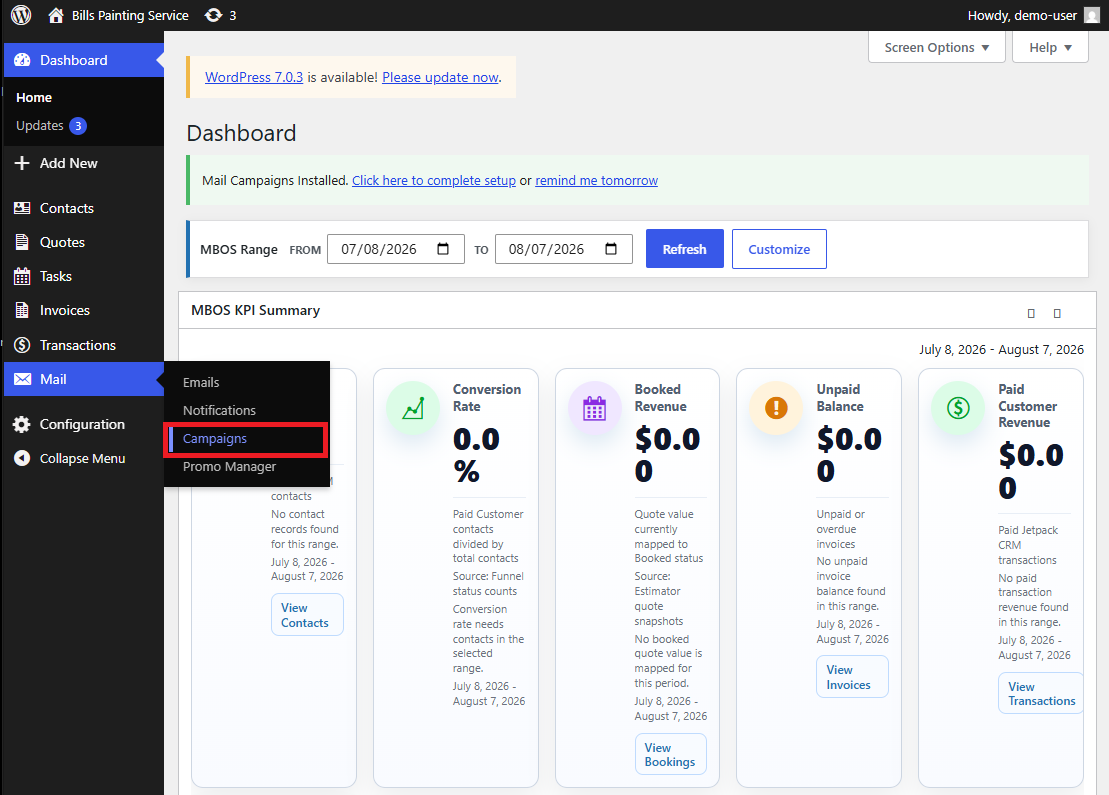
Navigate: WordPress Dashboard → Mail → Campaigns
What does this control?
The first visit allows Mail Campaigns to create and prepare the resources needed by campaign and automation features.
How do I complete it?
- Select Mail in the WordPress administration menu.
- Select Campaigns.
- Leave the page open while the initial setup process runs.
- Allow up to two minutes for initialization to complete.
Why is this useful?
Seeding before Mail Campaigns has initialized may leave campaign-related data or automation dependencies incomplete.
How do I verify it?
- The Campaigns screen finishes loading without an initialization message or processing indicator.
- You can leave and reopen Mail → Campaigns normally.
Important:
- Do not refresh or close the page while the first-run process is still working.