Chapter 6.8
Protect registration forms with Google reCAPTCHA
Protects forms using the MBOS registration shortcode from automated submissions.
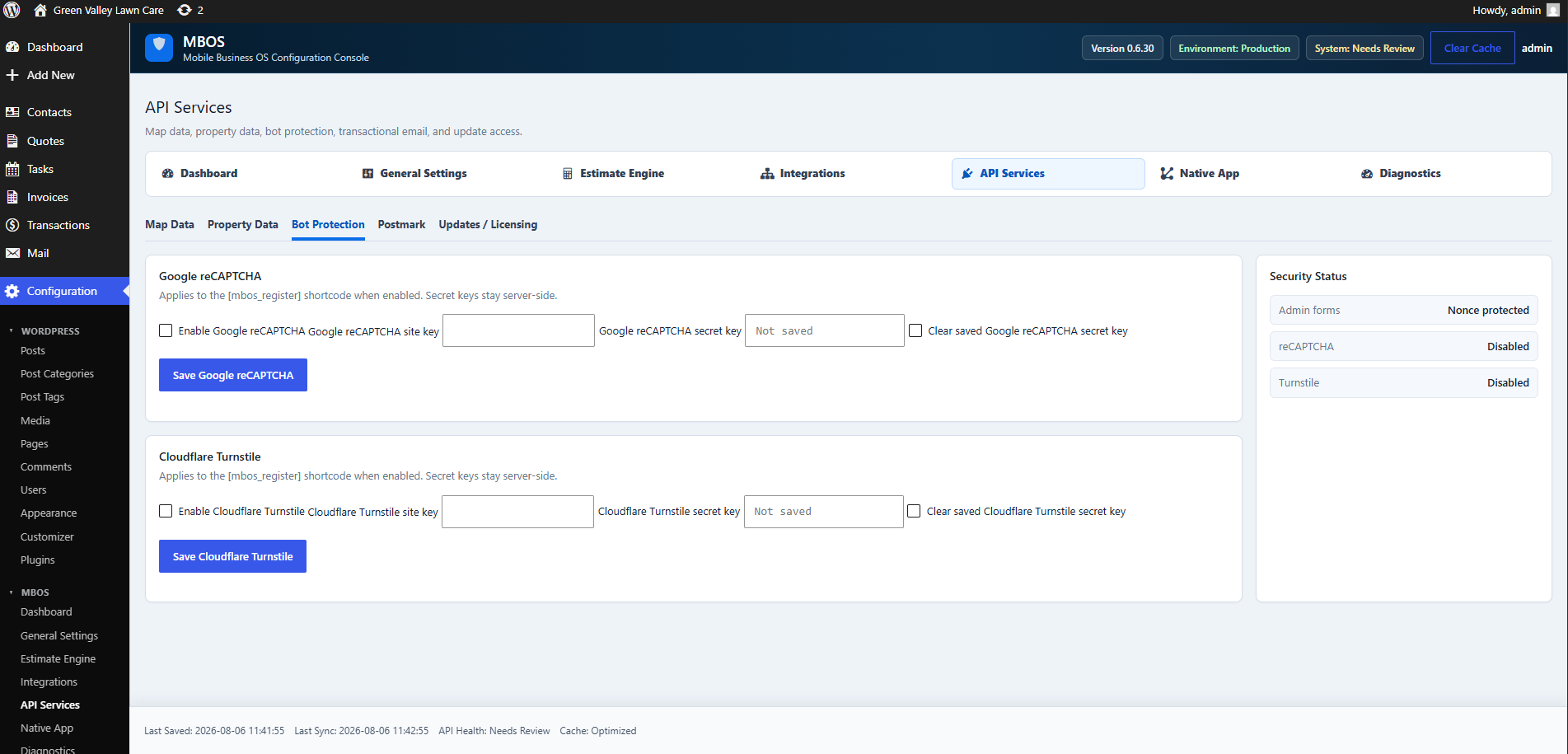
Navigate: MBOS → API Services → Bot Protection
What does this control?
Protects forms using the MBOS registration shortcode from automated submissions.
How do I configure it?
- Enable Google reCAPTCHA.
- Enter the Site Key.
- Enter the Secret Key.
- Click Save Google reCAPTCHA.
Why is this useful?
Reduces spam registrations and automated abuse.
How do I verify it?
- Confirm Security Status shows reCAPTCHA enabled.
- Test a legitimate registration.