Chapter 6.9
Connect Postmark transactional email
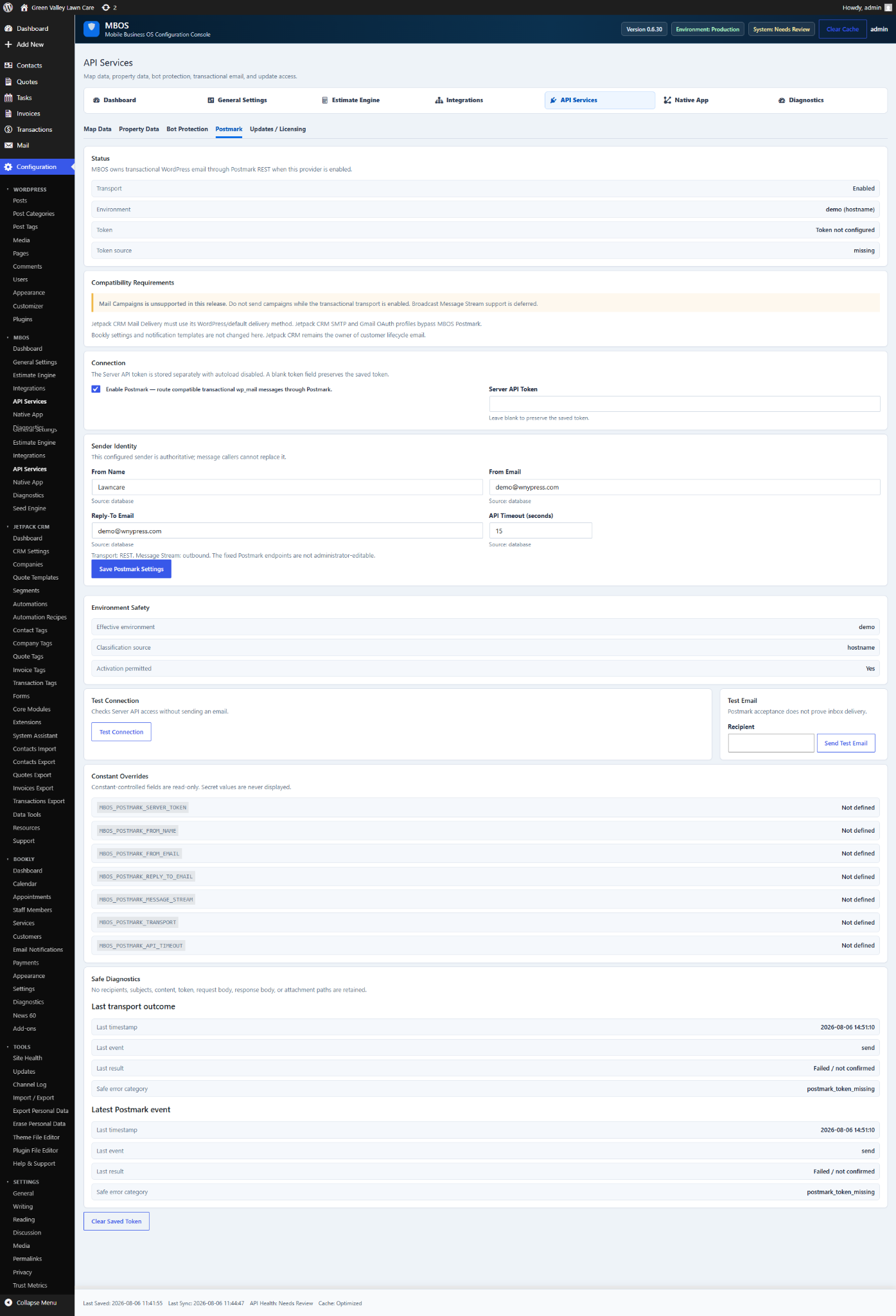
Routes compatible MBOS transactional email through Postmark REST.
Navigate: MBOS → API Services → Postmark
What does this control?
Routes compatible MBOS transactional email through Postmark REST.
How do I configure it?
- Enable Postmark transport.
- Enter the Server API Token.
- Enter From Name, From Email, and Reply-To Email.
- Save Postmark Settings.
- Test Connection and send a test email.
Why is this useful?
Provides reliable transactional delivery for estimates, bookings, invoices, and workflow notifications.
Note: Campaign broadcasts are not sent through this transactional transport in the documented release.
How do I verify it?
- Confirm the connection test succeeds.
- Confirm the test message arrives in the recipient inbox.
- Review Safe Diagnostics.