Chapter 6.3
Connect Google Reviews to MBOS
Connects the customer reviews widget to the business’s Google review data.
Navigate: MBOS → General Settings → Customer Reviews
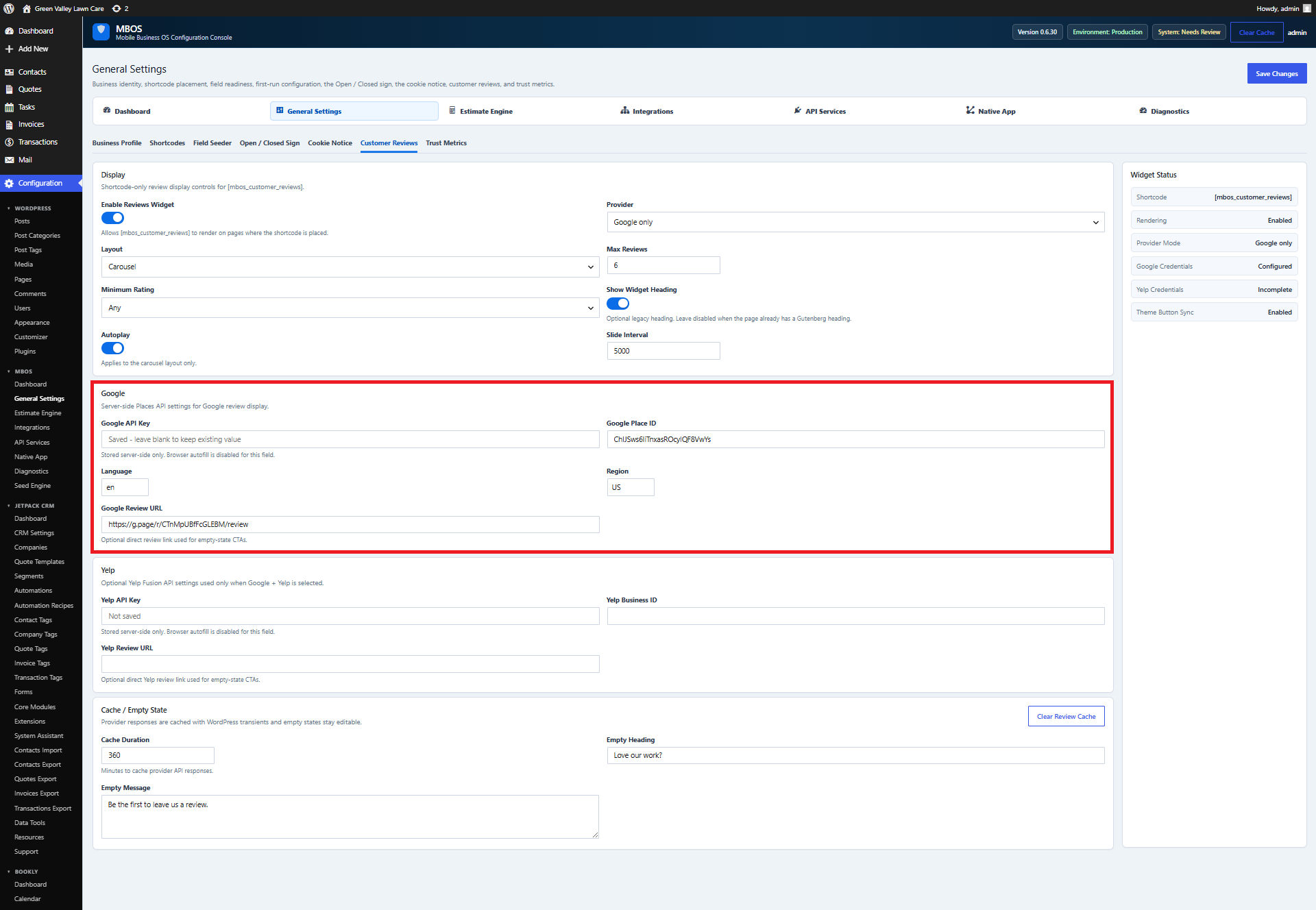
What does this control?
Connects the customer reviews widget to the business’s Google review data.
How do I configure it?
- Enter the Google API Key.
- Enter the Google Place ID.
- Enter the direct Google Review URL.
- Review provider, layout, rating, and carousel settings.
- Click Save Changes.
Why is this useful?
Displays social proof and provides a direct path for customers to leave reviews.
How do I verify it?
- Confirm Widget Status reports configured credentials.
- Visit the reviews section and verify a review appears.
- Test the Leave a Google Review link.